Category: Pages

Pages

Download Agreement

gpupakhdtu;fNs!
,e;jg; gf;fj;jpy; Mfpaitfs; TamilBible, TamilBibleFont, Daily Reading cs;sd. ,itfs; ekJ fu;j;jUk; ,ul;rfUkhfpa ,NaR fpwp];Jtpd; ehkk;> RtpNrkhf ru;trpU\;bf;Fk; mwptpf;fg;glNtz;Lk;. mj;Jld; cyfpy; gue;J thOk; ekJ fpwp];jt rNfhjuu;fSk; ,jdhy; gad; ngw Ntz;Lk; vd;w xNu Nehf;fj;jpw;fhfNt cs;sJ.

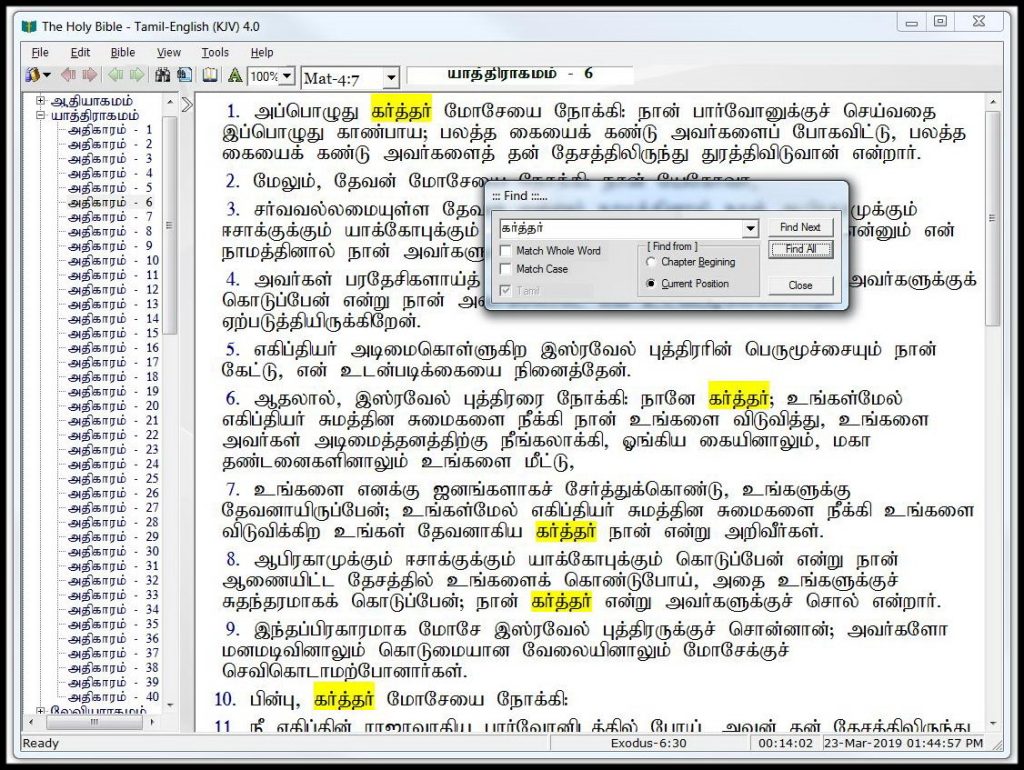
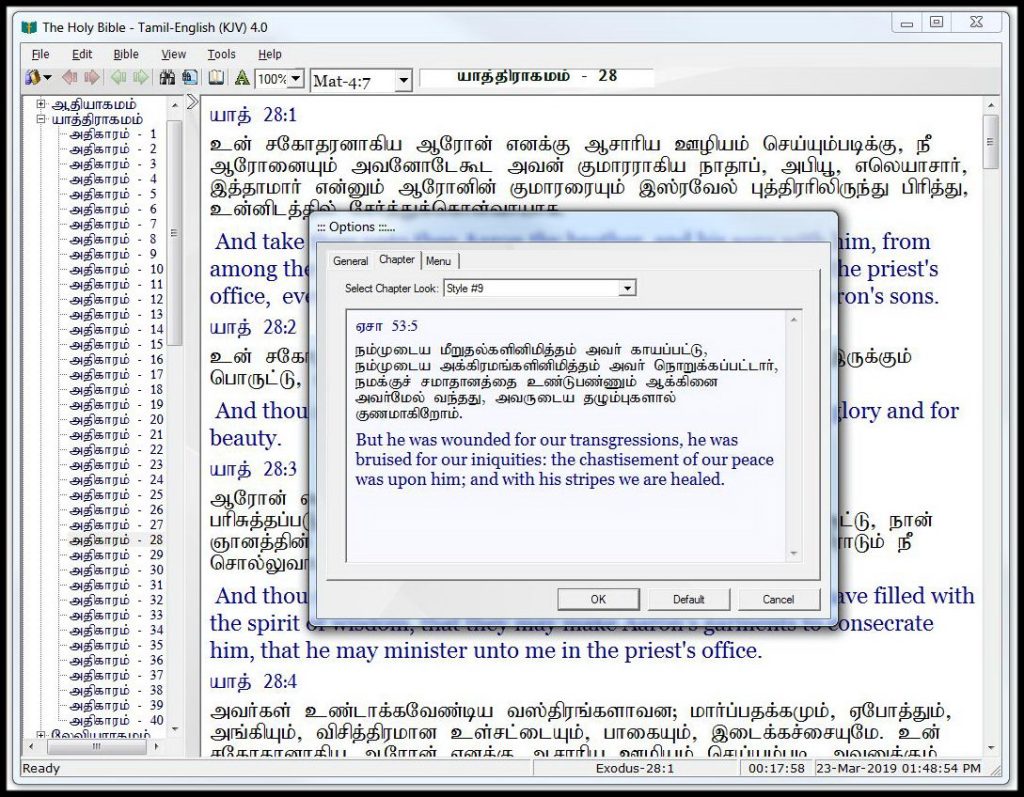
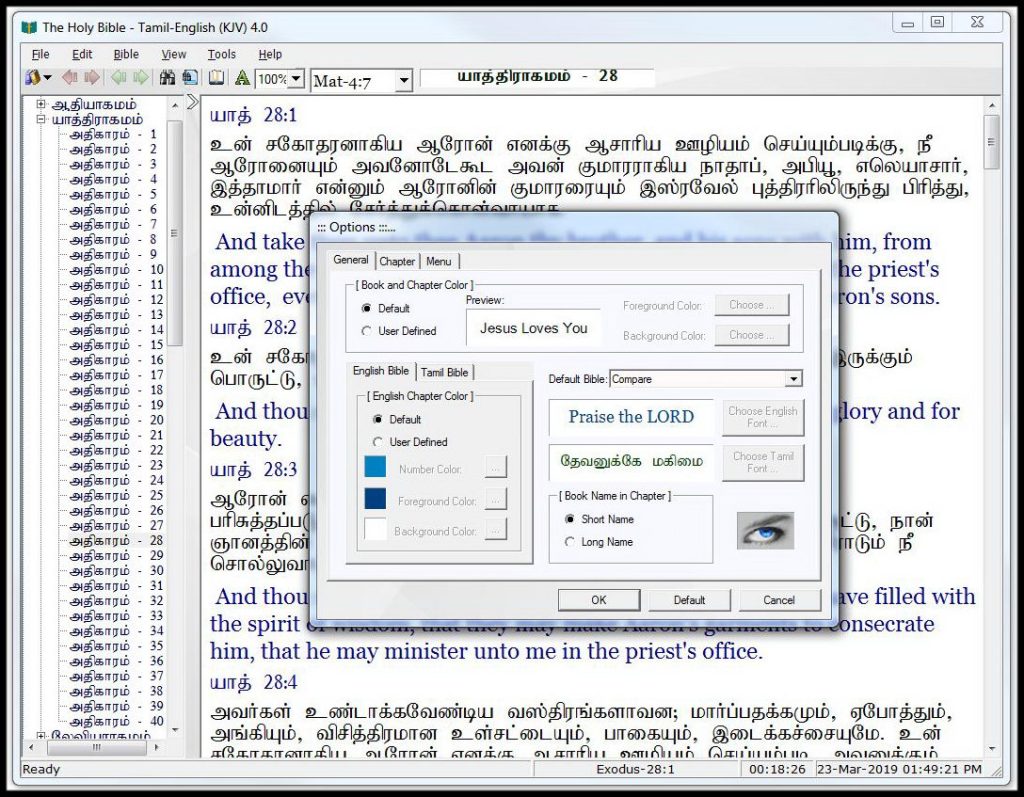
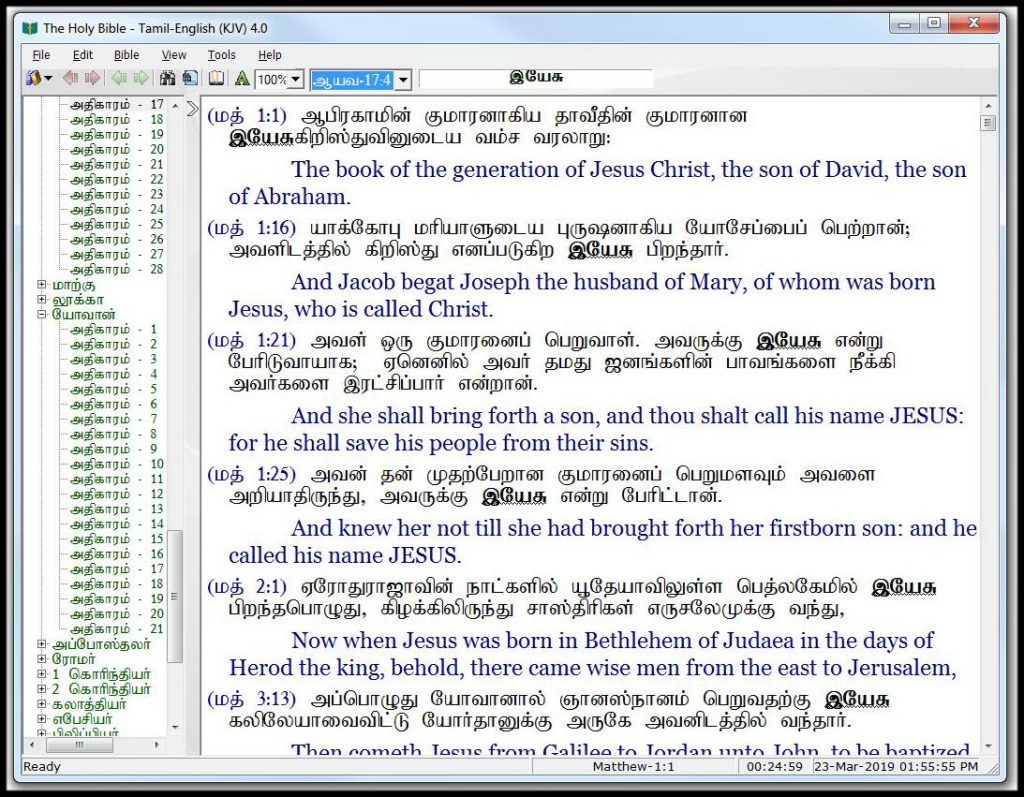
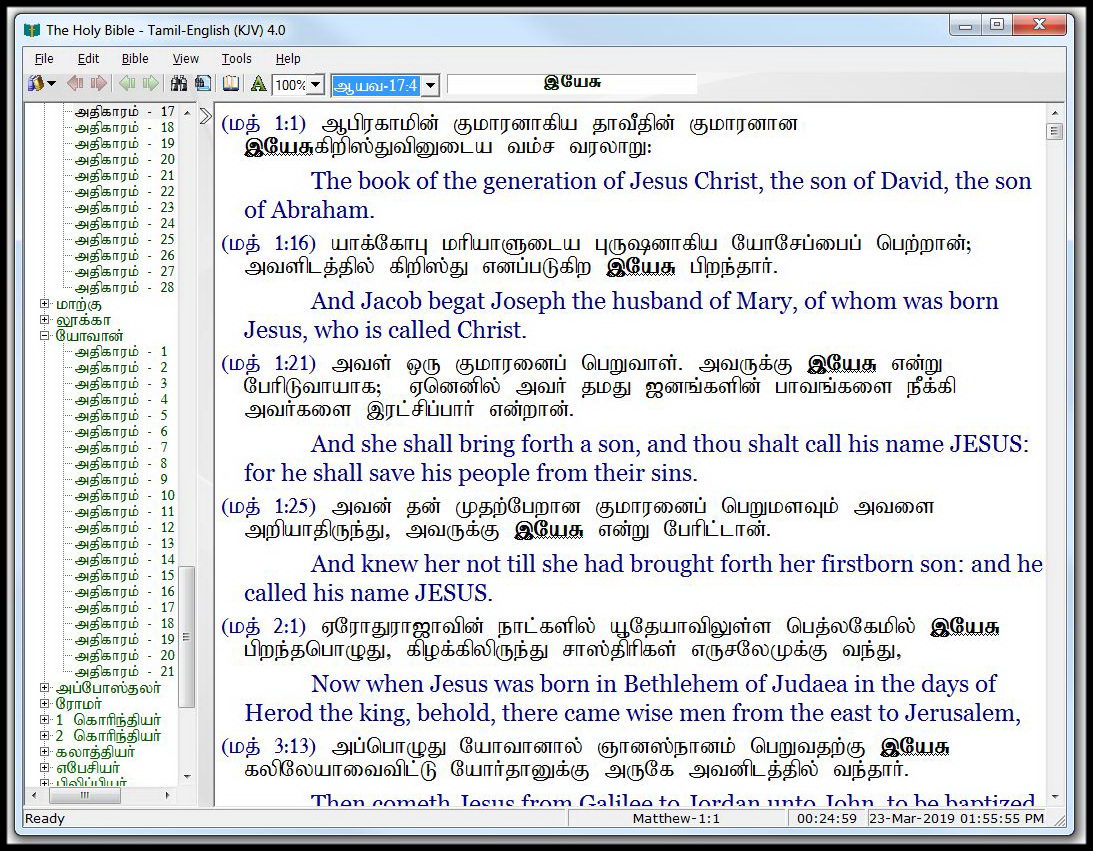
Features include: word searching, daily proverb, compare bible, verse list and printing, bookmark,dictionary, user-controlled fonts and colors, word find and more….

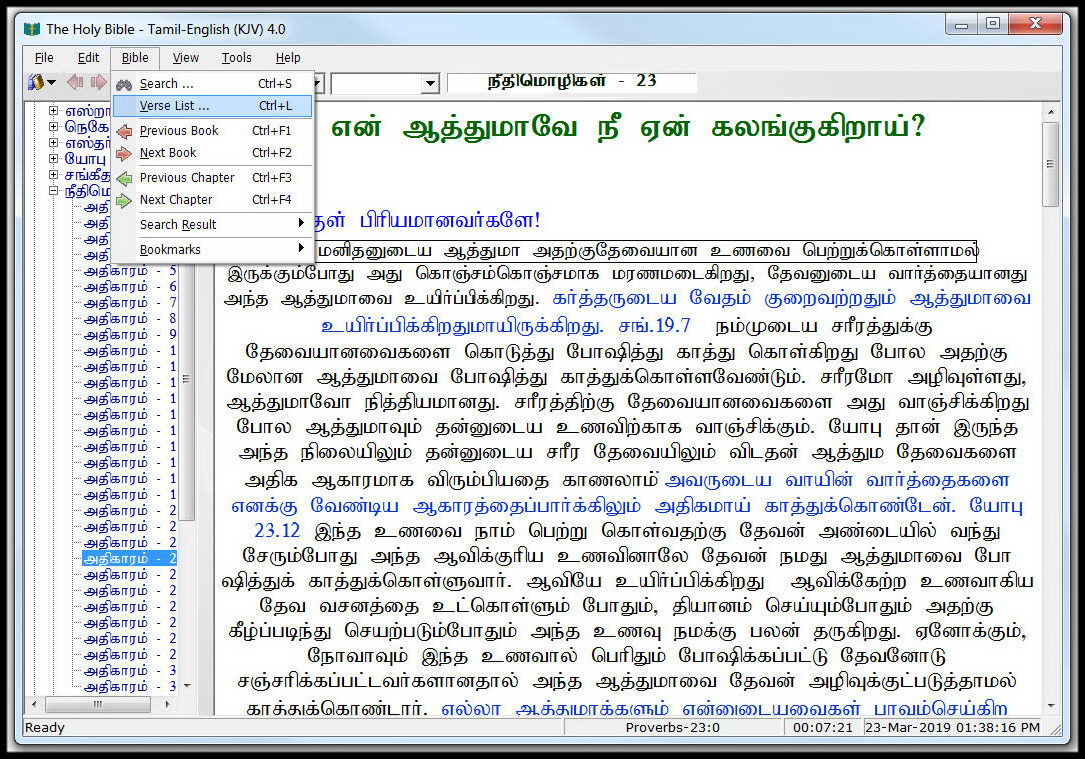
   Bible Software Screenshots

,e;j gupRj;j Ntjhfk Gjpa nkd;nghUs; cq;fs; fzpg;nghwpapy; epWtp itj;J gad; ngWtjw;fhf cUthf;fg;gl;Ls;sJ. ,e;j Ntjhfk nkd;nghUs; kpfr; rpwe;j MrPu;thjkhf vy;NyhUf;Fk; ,Uf;Fk; vd;gij fu;j;jUf;Fs; tpRthrpf;fpd;Nwhk;.

,ytrkhf ngw;Wf;nfhs;tjw;nfd;W Vw;gLj;jg;gl;l ,e;j gupRj;j Ntjhfk nkd;nghUis ,d;W gyu; Mj;Jk Mjhaj;njhopYf;F gad;gLj;Jtjw;Fg; gjpyhf nrhe;j eyj;jpw;nfd;W gzj;jpw;F tpw;gid nra;J Mjhaj; njhopyhf nra;J tUfpd;wdu;.

,tu;fs; Njtgf;jpia Mjhaj; njhopyhf vz;zp njhopy; nra;J tUgtu;fs;.

,jpYs;sitfis ve;jtpjkhd tpahghuj;jpw;fhf> tpahghu tpsk;guj;jpw;fhf> NjtDila fhupaq;fis Mjhaj; njhopyhf> Ra fPu;j;jpf;fhfTk; gad; gLj;JtJ Nghd;w fhupaq;fs; jtpu;f;fg;gl Ntz;Lk; vd;gij typAWj;j tpUk;GfpNwd;. kw;Wk; ,e;j Ntjhfkj;ij efy; (gpujp) nra;J mjpypUe;J NtW nkd;nghUs; nra;tJk; jtpu;f;fg;gl Ntz;Lk;. ,J xU rl;lj;jpw;F tpNuhjkhd nrayhFk;.

,e;j gupRj;j Ntjhfk Gjpa nkd;nghUis cUthf;f xj;Jioj;j xt;nthUtiuAk; Njtd;jhNk MrPu;tjpg;ghuhf. ,e;j Copaq;fSf;fhf n[gpAq;fs;. fu;j;jUila MrPu;thjk; cq;fs; midtNuhLk; $l ,Ug;gjhf.
Pages

Bible Courses-


Pages

Bible History

Bible History

Pages

BlackBerry Tamil Bible

BlackBerry TamilBible

e-Mmanuel Audio Bible – Tamil Version

New in 1.5.0:
– UI updates
– Support for hardware buttons

Featuring full OT and NT audio and text of the Tamil Bible. The audio is provided courtesy of Tamil Christian’s Pages (www.tamilchristian.com). Development of this app and hosting of the audio files is made possible by donations to The e-Mmanuel Project. You can also support the developer with purchase of e-Mmanuel+, a full featured bible reader and prayer companion for your BlackBerry® PlayBook™ 
Features:
– full Bible text included for offline reading
– automatic download-on-demand, downloads the audio file of the current chapter
– download files stay on your BlackBerry® PlayBook™ for offline listening
– option to download entire set of audio files in advance for offline listening
– auto-scroll of text along with Audio Bible
– auto-advance to next chapter or next book
– multiple background themes
– multiple font sizes
e-Mmanuel – God is with us, electronically


Pages

FAQ

FAQ

Do I need the Tamil Bible font installed on my computer in order to read the text in Tamil?

No, you do not need the Tamil Bible font installed on your computer to read and browse through the website on either Windows, Mac or any portable device.

Which browser is best to be used on this website?

This website is best viewed on the latest versions of Chrome, MS Edge, Firefox, Safari and Opera.

What types of features are in the Tamil Bible Software

Tamil Bible software featuring in-depth tools to help study the Bible... Open Bible Screenshots Page

How do I submit my own media files or resources to be added to the site?

If you have your own resources that you feel would be beneficial to the growth of others Spiritually and Glorify God's Name, please upload them into Dropbox or Google Drive and send the link via our Contact page. The resources will be reviewed before they are added to the website.

Are there any songs, videos or messages available for me to download?

No, unless the producers of the material provide us with the rights to allow these materials to be downloaded, we are not able to provide downloadable material.

Do I need any player installed on my computer to listen to audio or watch videos?

No, you do not need any players installed on your computer as the players are all integrated onto the site and should work automatically.

Do you accept donations?

No, we do not accept any donations nor do we ask anyone for donations in any form. For more information please read our letter here.
Pages

Seeds

Seeds

Seeds Vol.1

Seeds Vol.2

Seeds Vol.3

Seeds Vol.4

Seeds Vol.5

Seeds Vol.6

Seeds Vol.7

Seeds Vol.8

Seeds Vol.9

Seeds Vol.10

Seeds Vol.11

Seeds Vol.12

Seeds Vol.13

Seeds Vol.14

Seeds Vol.15

Seeds Vol.16

Seeds Vol.17

Pages

Bible Software Help

Bible Software Help

Bible Screenshots

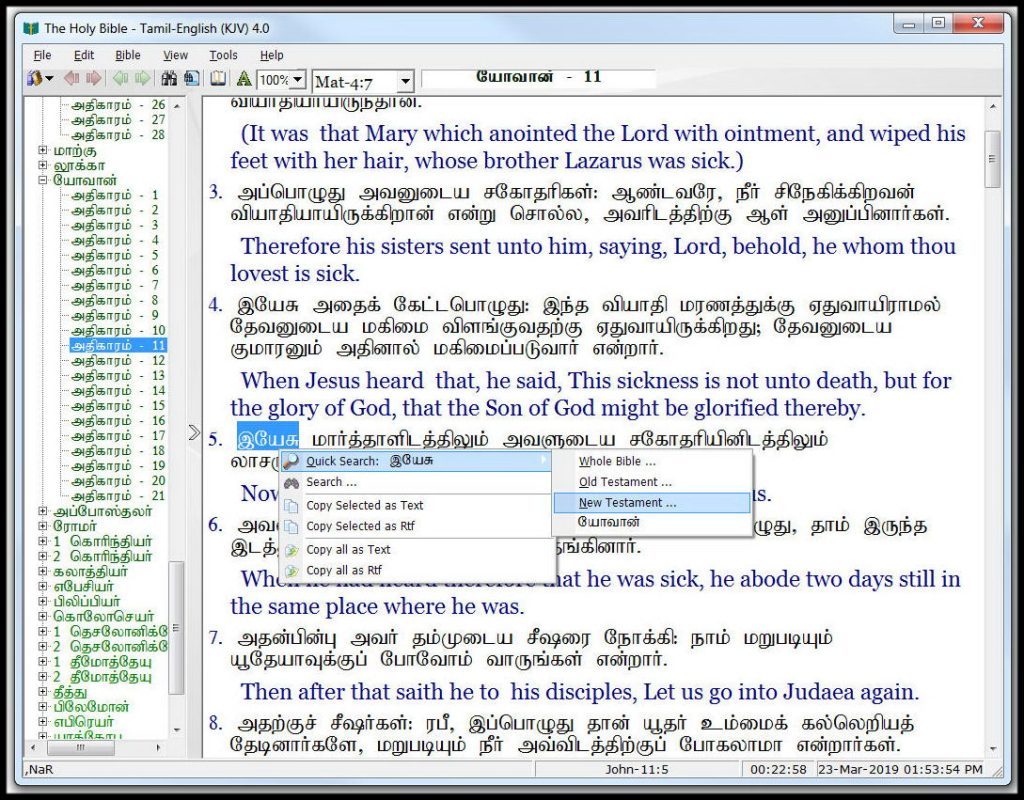
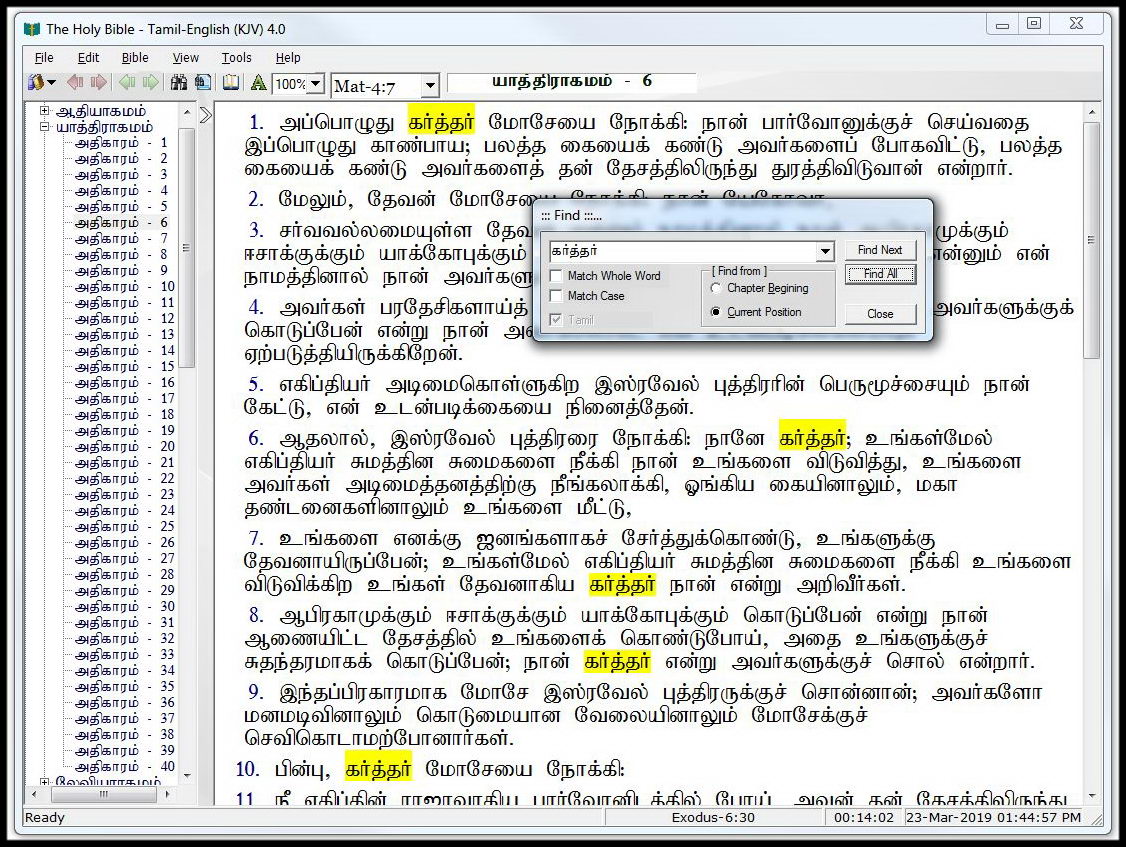
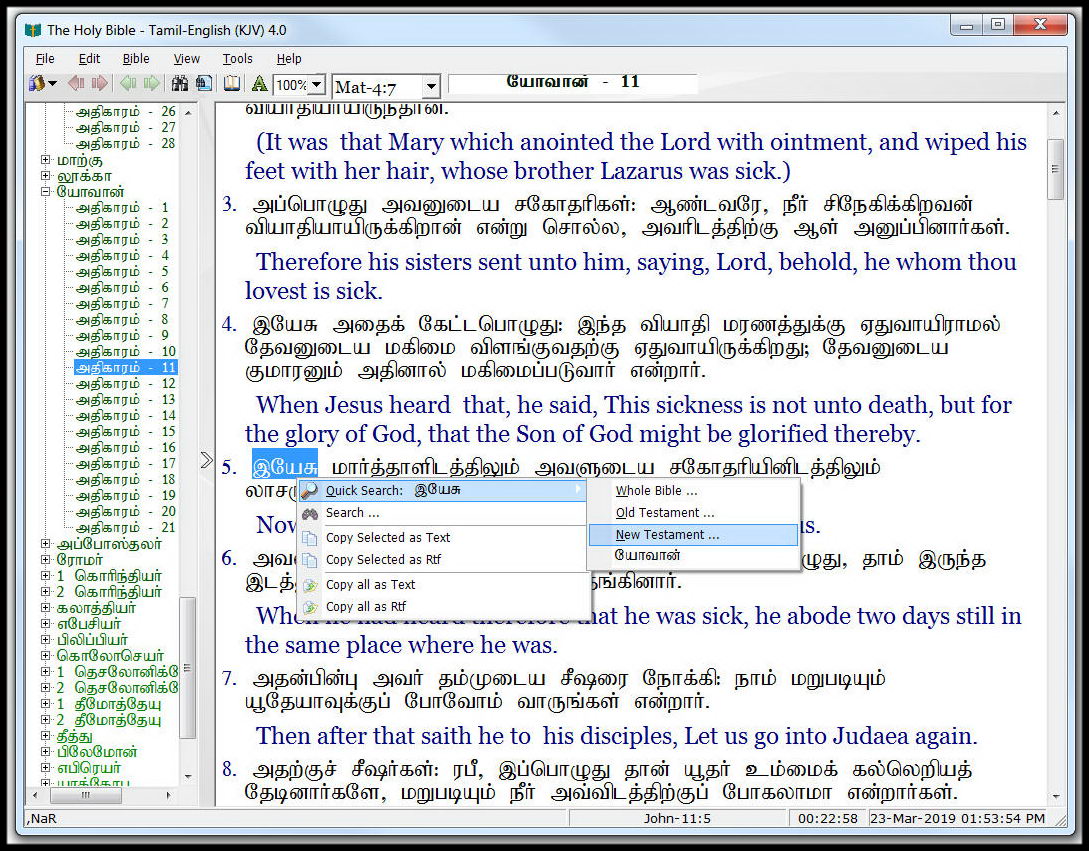
In the Bible view, just right on the word you want to search. It will invoke the context menu like above. There are four sub menu available for the quick search.

Whole Bible – Search the selected text in the whole Bible.
Old Testament – Search the selected text in the Old Testament.
New Testament – Search the selected text in the New Testament.
Current Book – Search the selected text in the current chapter.

Search  Invoke the search dialog box with the selected text.
Copy Selected as Text – Copy the selected text unformatted text.
Copy Selected as Rtf – Copy the selected text as formatted text.
Copy all as Text – Copy all the text unformatted text.
Copy all as Rtf – Copy all the text as formatted text.

Shortcuts

F1 – Invoke the Help System.
Ctrl + P – Invoke the Print Dialog Box.
Ctrl + X – Cut
Ctrl + C – Copy
Ctrl + V – Paste
Ctrl + A – Select All
Ctrl + F – Find
F3 – Find Next
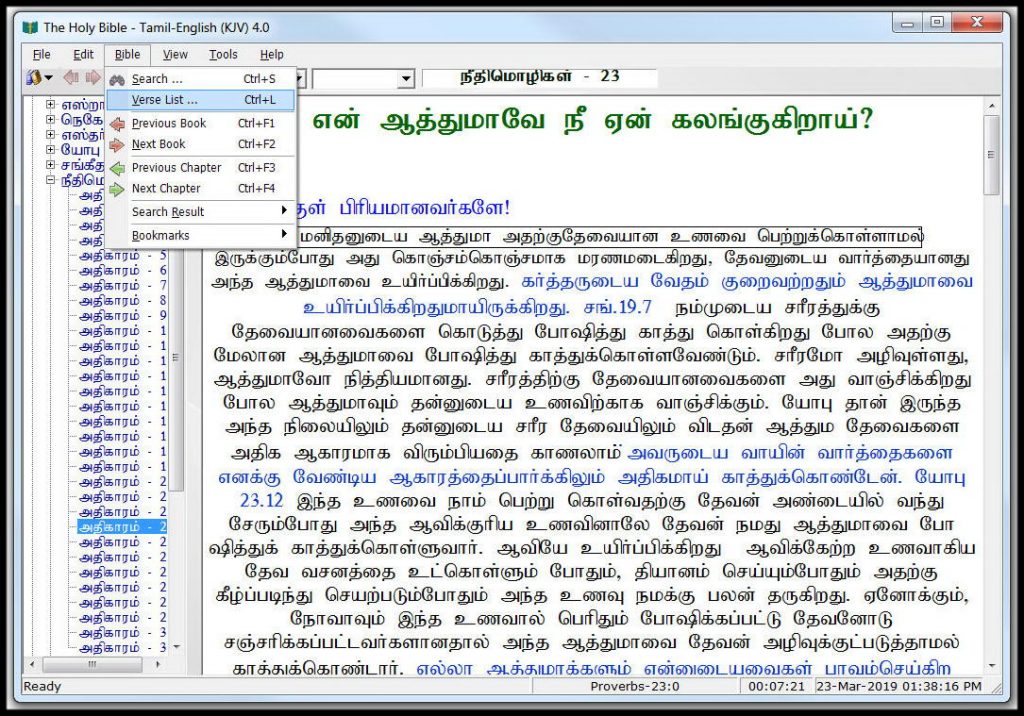
Ctrl + S – Invoke the Search Dialog box.
Ctrl + V – Invoke the Verse List Dialog box.
Ctrl + F1 – Previous Book
Ctrl + F2 – Next Book
Ctrl + F3 – Previous Chapter
Ctrl + F4 – Next Chapter

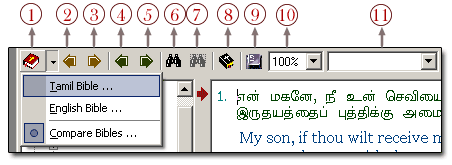
Toolbar

1. Bible Selector – This button is used to select the Bibles available.
Tamil Bible – Tamil Bible (King James Version)
English Bible – English Bible (King James Version)
Compare Bibles – Tamil and English Bibles (King James Version)

2. Previous Book – Go to the previous book.
3. Next Book –  Go to the Next book.
4. Previous Chapter – Go to the previous chapter.
5. Next Chapter – Go to the next chapter.
6. Search – Invoke the search dialog box.
7. Search Result – Show the search results altogether.
8. Verse Lists – Invoke the verse list dialog box.
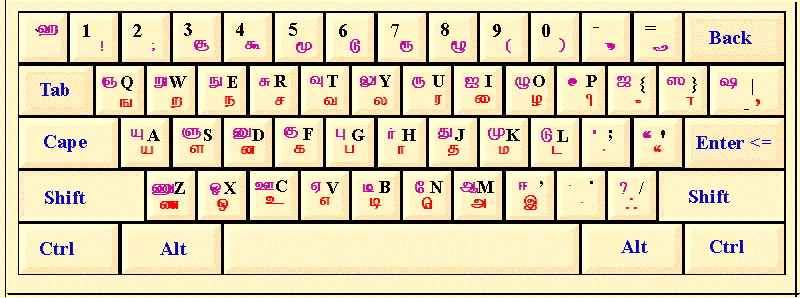
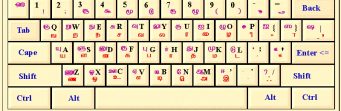
9. Tamil Keyboard Layout – Show the Tamil keyboard layout.
10. Zoom – Select the size of the text displayed.
11. Result Drop-Down Box – Navigate thru the results available.

keys

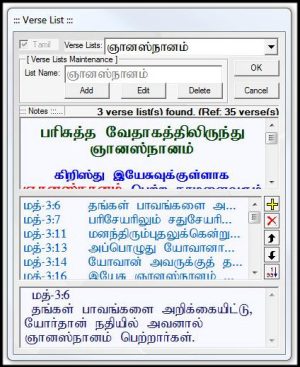
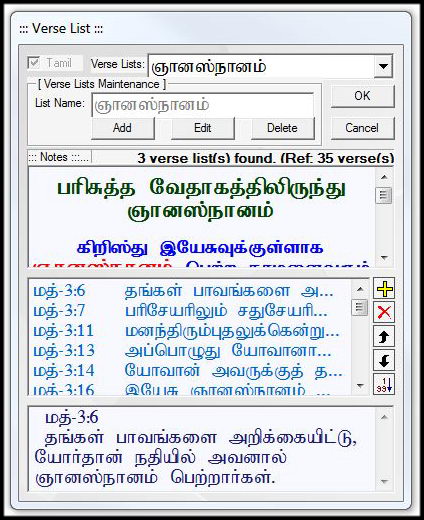
Verse List

This dialog box is used to store and view your reference for the particular topic.
Language Check Box – used to switch between languages.
Verse Lists – View the selected list from the drop-down box.
Add Button – Used to create a verse list.
Edit Button – Used to edit verse list available.
Delete Button – Used to delete the verse list from the list.

verselist

FAQ

Do I need the Tamil Bible font installed on my computer in order to read the text in Tamil?

No, you do not need the Tamil Bible font installed on your computer to read and browse through the website on either Windows, Mac or any portable device.

Which browser is best to be used on this website?

This website is best viewed on the latest versions of Chrome, MS Edge, Firefox, Safari and Opera.

What types of features are in the Tamil Bible Software

Tamil Bible software featuring in-depth tools to help study the Bible...
Open Bible Screenshots Page

How do I submit my own media files or resources to be added to the site?

If you have your own resources that you feel would be beneficial to the growth of others Spiritually and Glorify God's Name, please upload them into Dropbox or Google Drive and send the link via our Contact page. The resources will be reviewed before they are added to the website.

Are there any songs, videos or messages available for me to download?

No, unless the producers of the material provide us with the rights to allow these materials to be downloaded, we are not able to provide downloadable material.

Do I need any player installed on my computer to listen to audio or watch videos?

No, you do not need any players installed on your computer as the players are all integrated onto the site and should work automatically.

Do you accept donations?

No, we do not accept any donations nor do we ask anyone for donations in any form. For more information please read our letter here.